case study · multi-tenant saas
Celaris case study
Growing teams juggle separate tools for clients, deals, projects and billing. → One AI-native workspace: CRM, deals, projects, invoicing and a built-in AI assistant.
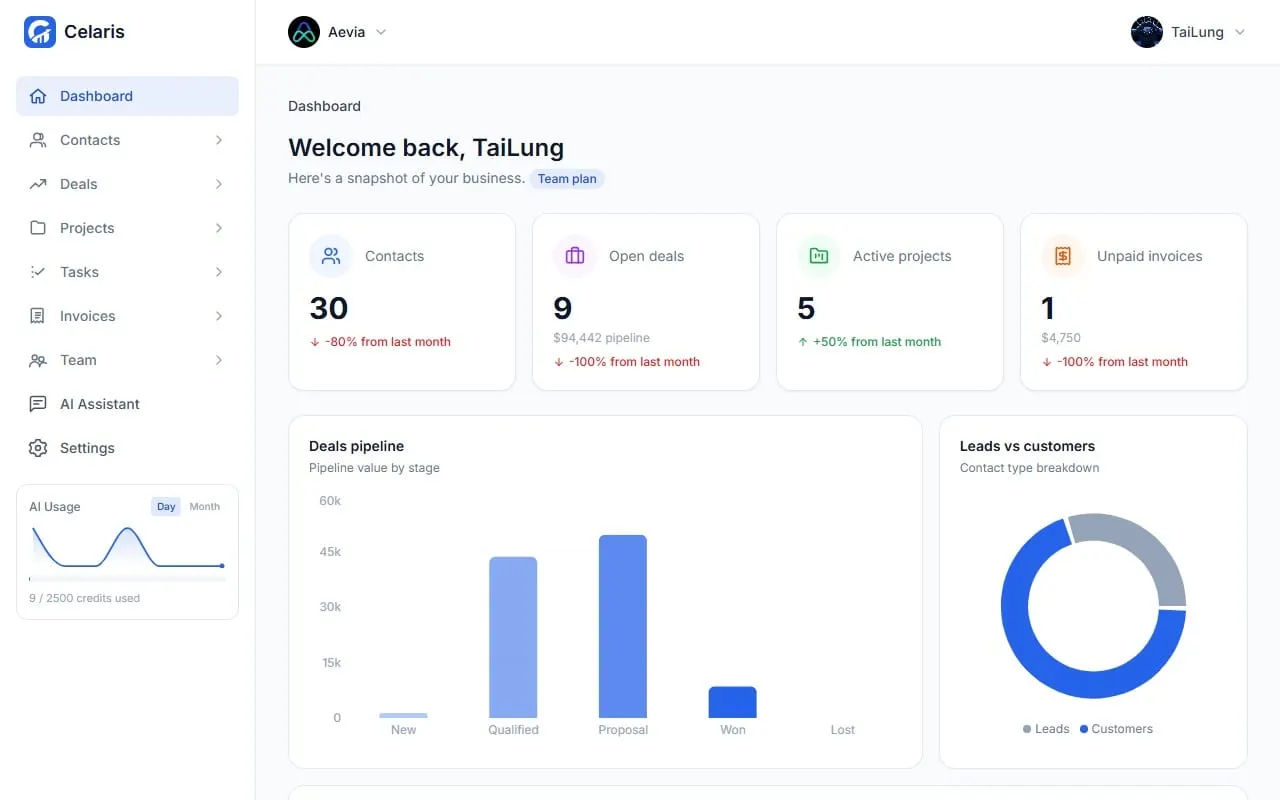
Screens
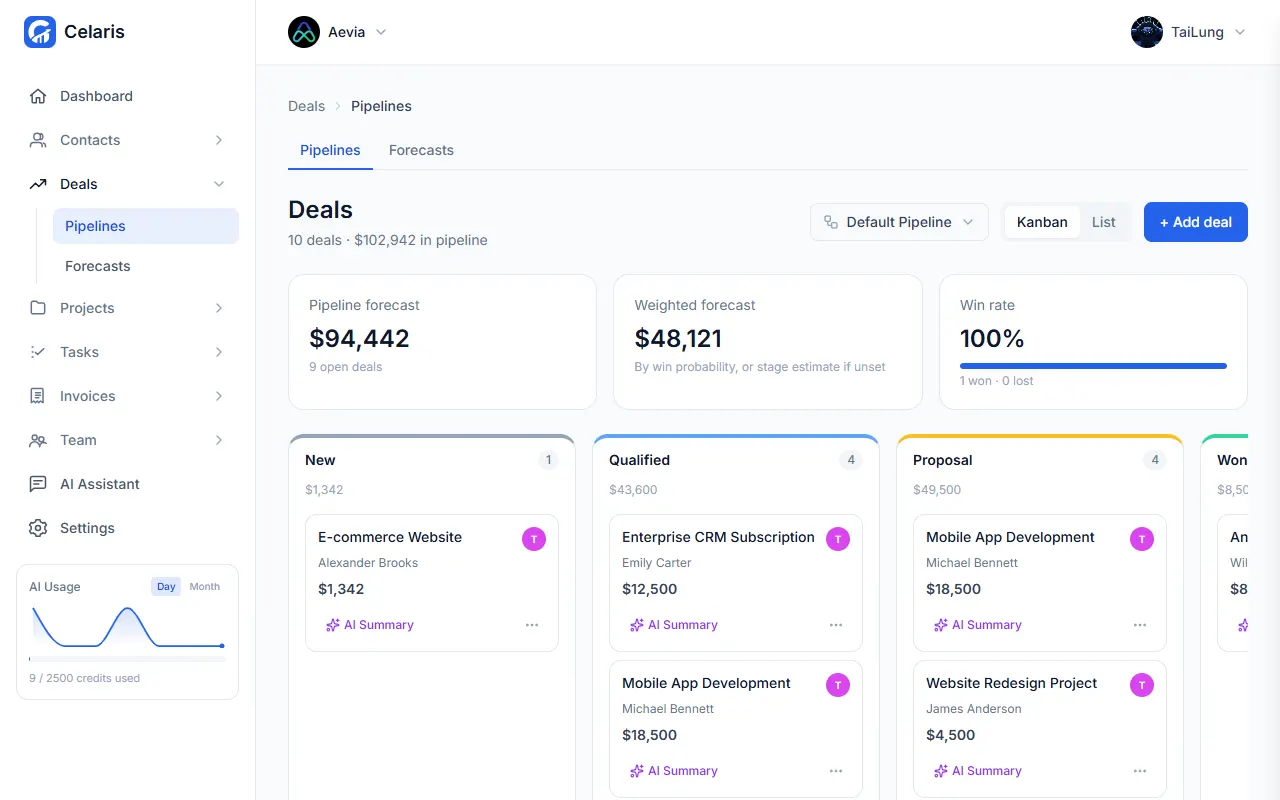
Deals pipeline 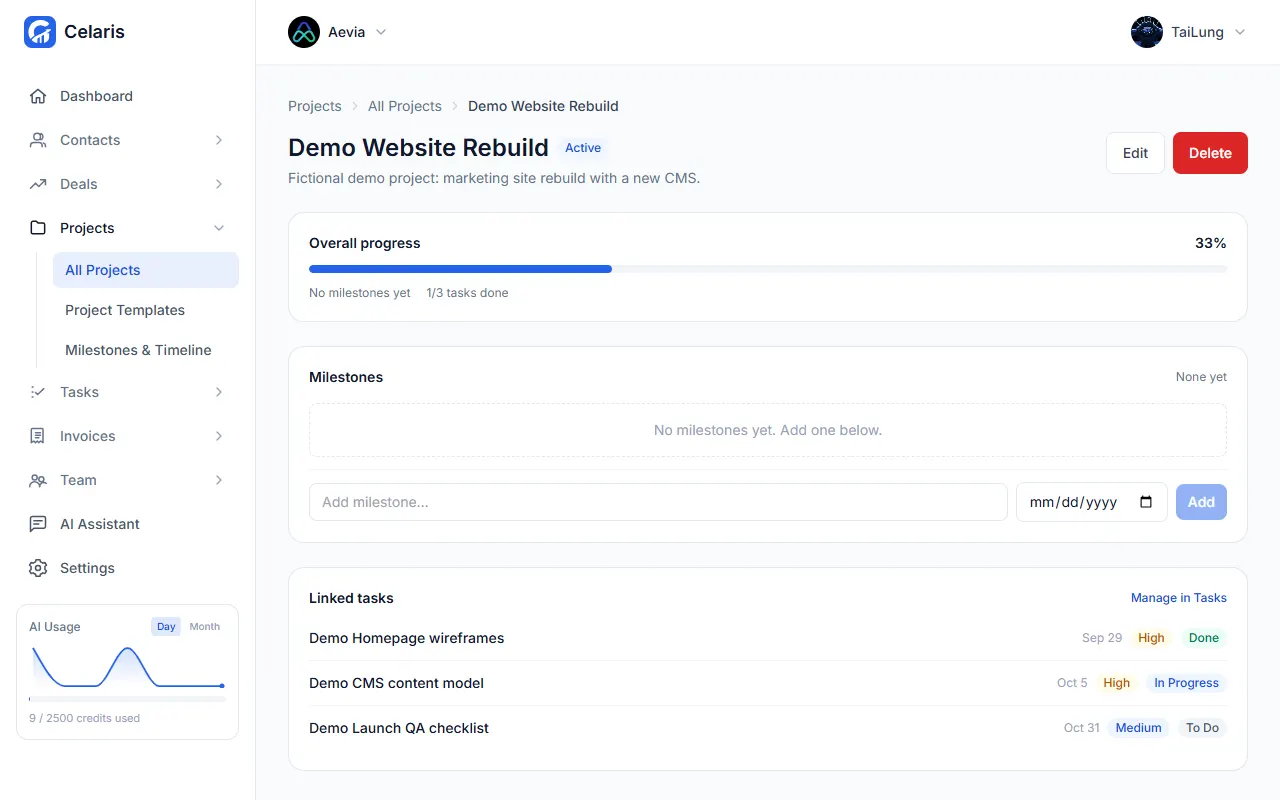
Project with tasks 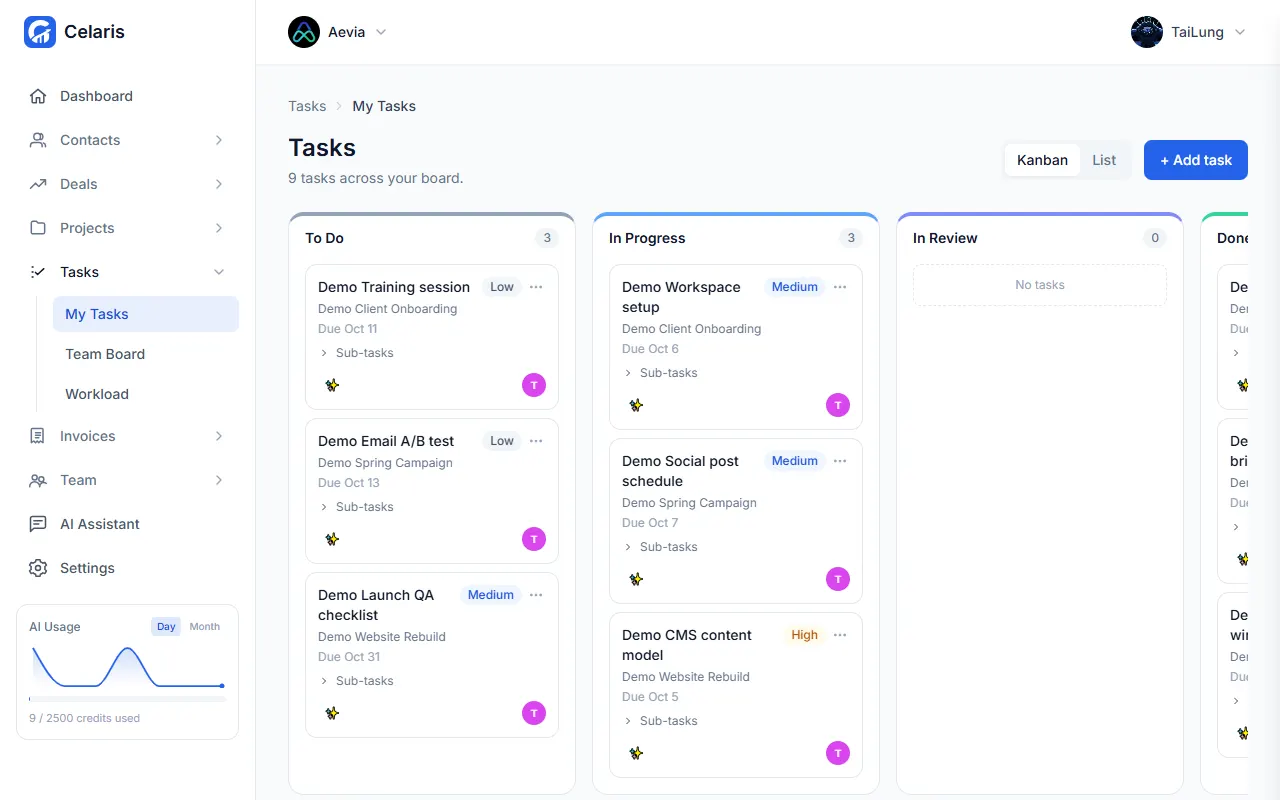
Task board 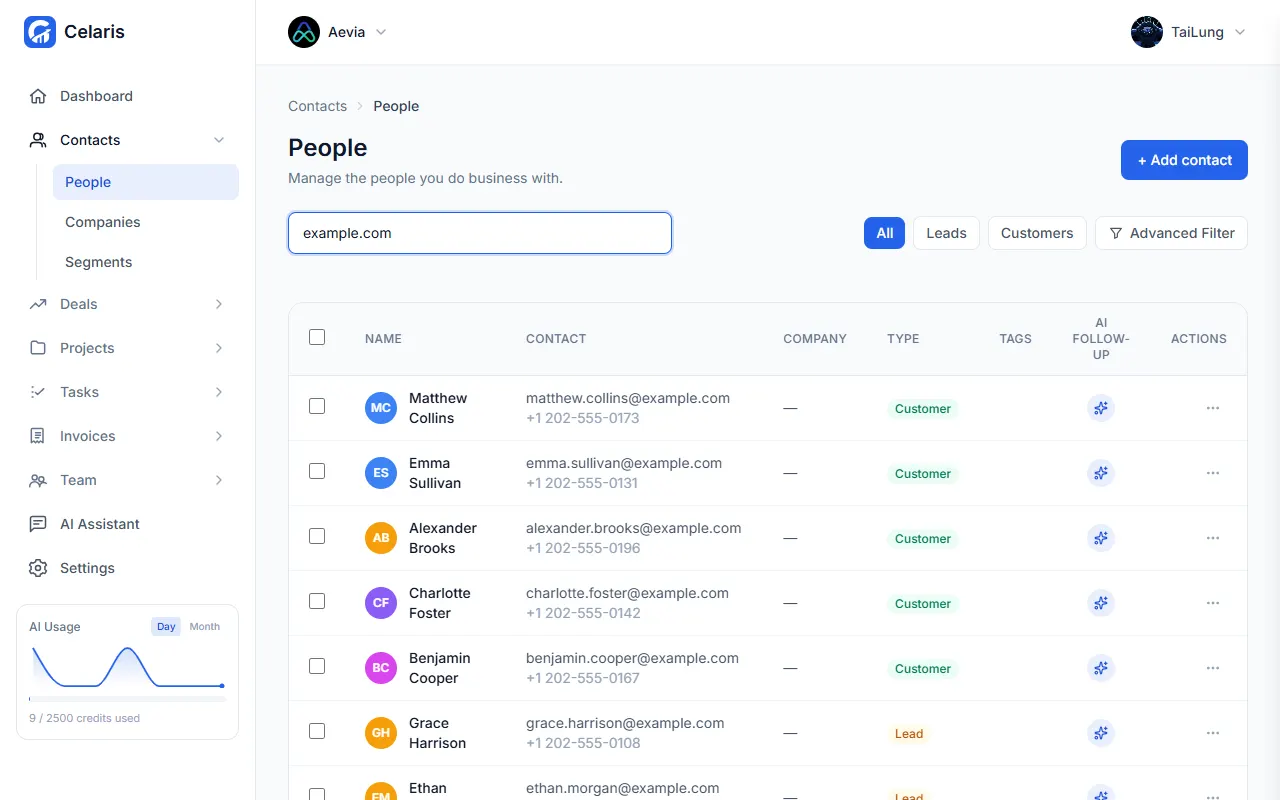
CRM contacts 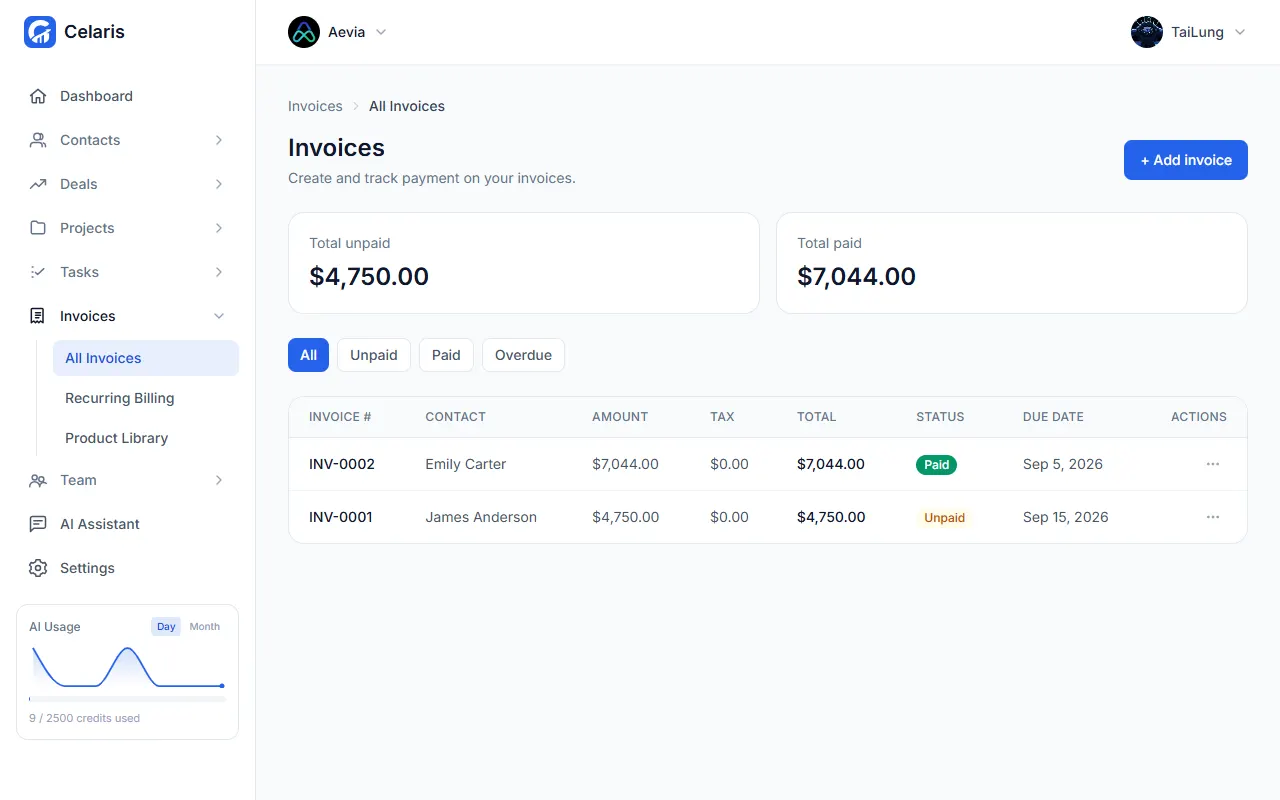
Invoices
Demo workspace with fictional data.
- 01 · The problem
The problem
Growing teams run clients, deals, projects and invoicing across separate tools, so data is duplicated and nothing is connected.
- 02 · My role
My role
Co-Founder & CTO at Aevia. Co-built Celaris with Rana Muhammad Bilal.
- 03 · Architecture
Architecture
Team workspace
one tenant per workspace
→ Next.js 14 app
Next.js 14 app
TypeScript · CRM, deals, projects, tasks, invoices
→ Supabase / PostgreSQL, AI client, Docker + Caddy
Supabase / PostgreSQL
Row-Level Security per workspace
AI client
Groq Llama 3.3 70B, Mistral fallback
GitHub Actions
auto-deploy on push
→ Next.js 14 app
Docker + Caddy
self-hosted, automatic HTTPS
→ celaris.cloud
celaris.cloud
live
- 04 · Key decisions
Key decisions
Multi-tenant from day one, because it is a SaaS for many businesses. Each workspace is a tenant: every table carries workspace_id, and Postgres Row-Level Security (is_workspace_member) enforces isolation in the database.
The current workspace is always resolved server-side, never trusted from the client. Owner, admin and member roles are enforced by security-definer RPCs.
Supabase / PostgreSQL: the data is relational (contacts, companies, deals, projects, invoices), RLS isolates tenants at the database level, and auth is built in. Self-hosted in Docker.
One central AI client: Groq (Llama 3.3 70B) first, with automatic fallback to Mistral on rate limits, timeouts or errors, plus retry and backoff. It started on self-hosted Ollama and moved off it because CPU inference was too slow.
The AI assistant uses function calling over a fixed tool catalog. Every tool runs through the same workspace-scoped server actions, so it can only read the current workspace's data. Writes (create a contact, task or deal) show a Confirm / Cancel card and run only after the user confirms.
- 05 · Challenges
Challenges
Keeping AI fast and reliable under rate limits: retries with backoff and the Groq → Mistral fallback.
A silent bug: new deals saved, but the list showed "No deals yet" because a PostgREST join failed and its error was swallowed. Fixed with explicit foreign-key-hinted joins and error checks everywhere.
- 06 · Result
Result
Live at celaris.cloud: CRM (people, companies, segments), deal pipelines with forecasts, projects with templates, milestones and a Gantt view, a task board with a workload planner, invoices with line items, PDF export and a public QR link, team roles, and AI features (assistant, follow-ups, task breakdown, deal summaries).
- 07 · Stack
Stack
- TypeScript
- Next.js
- PostgreSQL
- Supabase
- Docker
- AWS